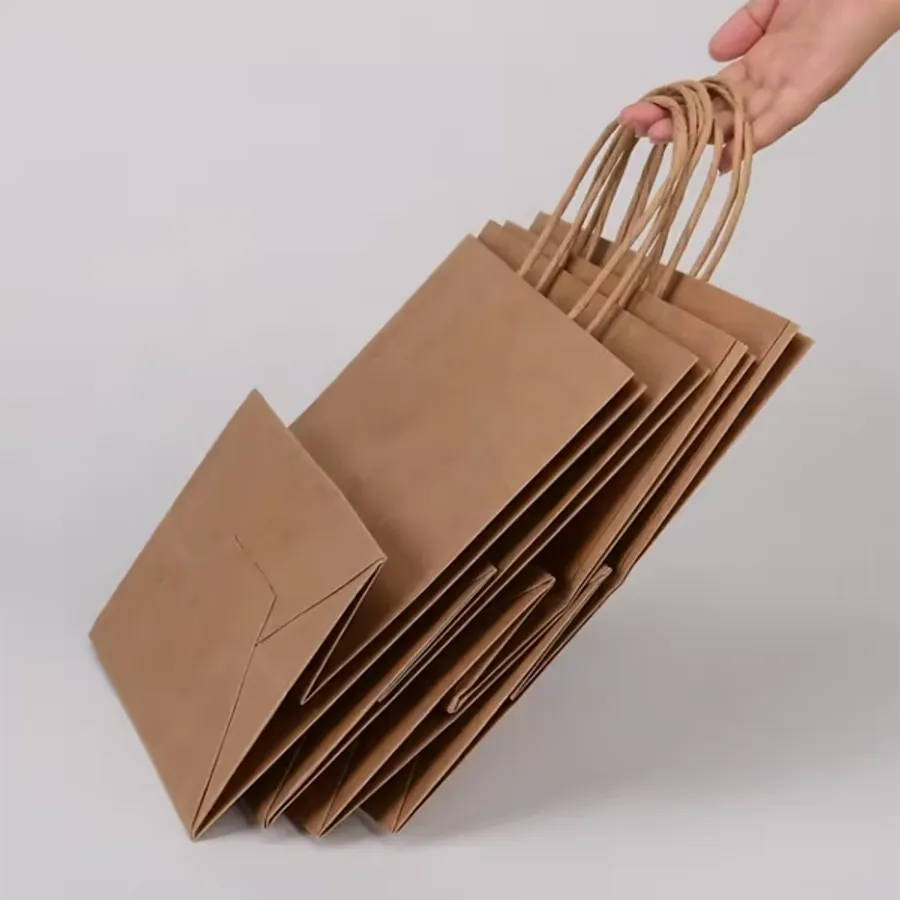
Paper bag guide
Paper Bag Mockup: How to Preview Your Logo Before You Order
Make a mockup of your logo on a real bag photo, size it right, and know what the proof adds
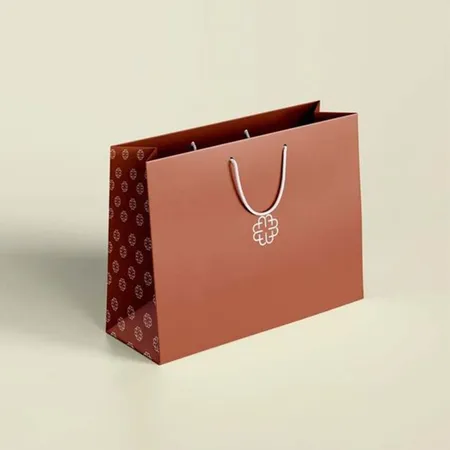
Why is a logo file not a preview of the bag?
A logo on a white screen tells you almost nothing about a bag. The same mark can look tiny on a 16 in shopper and crowded on a #4 sack. It can turn muddy on brown kraft and disappear on a black bag.
Bags also have folds, gussets and handles that cut through the front panel. A logo that sits an inch too low lands on the base crease. One that sits too high meets the handle glue.
A mockup puts the logo on a photo of the real bag at a believable size. It answers the questions that matter before you commit. Is it big enough, is it in the right place and does the color work on this paper.
It is also the quickest way to get a partner or a manager to say yes. A picture of the finished bag settles a conversation that a logo file cannot.
How do you make a mockup with Design Your Bag?
Design Your Bag is the photo-based way to do this on our site. You pick a real bag photo, drop your logo on it and send the picture to us with your details. The Design Your Bag page is where the steps below happen.
- Open Design Your Bag and filter the photos by range, such as retail, grocery, food, bakery or gift.
- Pick the bag style closest to what you plan to order. The paper color in the photo matters more than the exact size.
- Upload your logo as a PNG with a transparent background, or an SVG, JPG or WebP if that is what you have.
- Drag the logo onto the front panel and use the slider to size it. Keep it clear of the top fold and the base.
- Choose the ink color, one side or both, and the paper, then type the size and quantity you want.
- Add your name and email and send it. We receive the composed picture and your original file.
- Expect a free proof and a written quote back from the sales desk, built from your original artwork.
How big should the logo be on each bag size?
The usual rule is that a logo should fill about half the width of the front panel. Smaller than that and it looks like an afterthought. Larger and it runs into the gussets and handles.
The table gives working figures for common bag widths. They are starting points for the mockup, not fixed rules. A tall, narrow logo can go wider, and a wide wordmark may need to come down a little.
| Bag front width | Logo width to try | Top margin | Typical bag |
|---|---|---|---|
| 5 in | 2.5–3 in | 2 in | #4 sack, jewelry bag |
| 6 in | 3–3.5 in | 2.5 in | #6 and #8 lunch sacks |
| 8 in | 4–5 in | 2.5 in | Small shopper, candle bag |
| 10 in | 5–6 in | 3 in | Medium shopper, two-meal takeout |
| 13 in | 6.5–8 in | 3 in | Wide carryout bag |
| 16 in | 8–10 in | 3 in | Large shopper, eurotote |
Where on the bag should the logo sit?
Center the logo across the front panel, with its vertical middle slightly above the middle of the bag. Bags are seen from above when carried, so a logo placed dead center reads as low.
Keep a margin of 2 to 3 in from the top edge. On handle bags that area holds the glue patch and the turned top. On SOS sacks it is where the fold goes.
Keep 1.5 to 2 in clear of the bottom crease. Ink across the fold cracks and looks bent once the bag squares out.
Gussets are a separate decision. A small secondary mark or a web address on the side panel works well, but the main logo belongs on the front. Printed examples are on our custom printed paper bags page.
Why does the mockup look different on kraft than on screen?
Your screen shows the logo on white. Brown kraft is not white, and ink is partly transparent, so every color darkens and warms when printed on it. Yellow goes mustard, light blue goes gray and red goes brick.
Design Your Bag places the logo on a photo of the real paper, which gets you most of the way. It is still a screen image, so treat it as a guide and the proof as the truth.
Black and white are the two inks that behave on kraft. Black reads crisp on every brown. White pops, because it is printed a little heavier so the brown does not show through.
A logo in a pale brand color is the case to watch. Try it in white in the mockup, or switch the photo to a white bag and see which you prefer. The white paper bags page shows how colors sit on white kraft.
What should you check in the mockup?
Once the logo is on the bag photo, look at it the way a customer would. Stand a few feet back and imagine the bag in someone's hand. These are the checks that catch most problems.
- Can you read the smallest text from arm's length? If not, drop it or make the logo bigger.
- Does the logo clear the handles, the top fold and the base crease?
- Is there even space on both sides of the logo, or does it lean to one edge?
- Does the color still look like your brand on this paper, or has it gone muddy?
- Is a white box or halo showing around the logo? That means the file is not transparent.
- Would the back of the bag need the logo too, given how customers carry it?
- Does a tagline or web address add anything, or is the logo stronger alone?
What does the free proof add to the mockup?
The mockup is a picture. The proof is a print file. Our designers take your original logo and place it at the size you chose on an outline of the exact bag you are ordering.
The proof shows the real dimensions in inches and the print area. It names the ink color or Pantone reference and marks the position on every printed side. It is what the press follows.
It also catches what a mockup cannot. A JPG that is too small to print, a font that was not outlined, a line too thin to hold ink on kraft. The designer flags each one before you approve.
You can ask for changes and get a revised proof. Nothing prints until you sign it off, and production starts after that with 4–6 business days on the press.
Mockups on dark, laminated and gift bags
Dark bags flip the rules. On black or navy paper a dark logo disappears, so the mockup should use white, metallic or a light brand color. Foil is the common choice for a reason.
Laminated bags carry full color well, so a photographic or patterned mockup is close to life there. The film adds shine that a screen does not show. Matte and gloss look closer in the mockup than they will in the hand.
Gift bags are often patterned all over rather than carrying one logo. For those, mock up the pattern as a tile and check that the logo still reads on top of it. Keep the logo in a clear panel if the pattern is busy.
Our luxury paper bags page shows how foil and white ink sit on dark laminated paper.
Can you mock up more than one bag size at once?
Yes, and it is worth doing when the order includes two sizes. The same logo at the same inch size looks different on a small bag and a large one. Most brands scale the logo with the bag, keeping it at about half the panel width on each.
Make a mockup on a small bag photo and a large bag photo, using the width table above for each. Compare them side by side and note the two logo widths.
Send both sizes on one request, or note the second size in the message. The proof then shows each size on its own outline, with the logo scaled to each.
Pick one logo file for both. Two different files on two sizes is the most common cause of a mismatched set.
Common mockup mistakes
The mockups that come to our desk with problems share the same few habits. A logo stretched out of proportion to fill the panel. A screenshot of a logo, white background and all, used instead of the file.
Text added at a size that reads fine on a phone screen and vanishes on the printed bag. A dark brand color on brown kraft that nobody tested in white.
The fix for all of them is the same. Use the original logo file, size it with the table, keep it off the folds and read the small text from across the room. Then send it in and let the proof do the rest.