Paper bag guide
Paper Bag Printing Explained: One Color, Two Color and Full Color
What each print option means, where the ink goes on each bag style, and how to send artwork
What does one color printing mean on a paper bag?
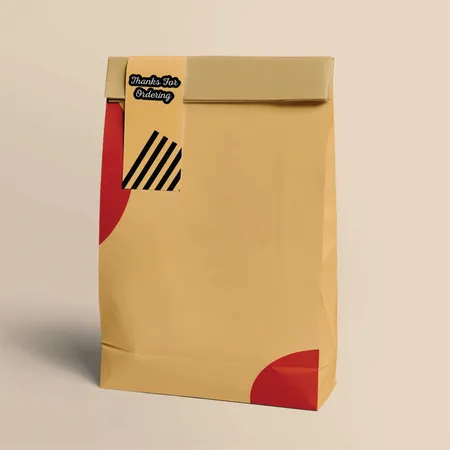
One color means one ink. Your logo, text and any border all print in that single ink, with no shading and no second shade.
The ink can be black, white or a brand color. On brown kraft, black is the most common choice because it reads clearly from across a store.
One color does not mean one small logo. The ink can cover a large panel, run as a border or repeat as a pattern. The limit is the number of inks, not the amount of ink.
This is where most first orders start. It costs the least to set up, and it looks clean on every bag from a #8 sack to a large shopper. See the finished effect on our custom printed paper bags page.
When is two color printing worth it?
Two color means two separate inks, printed one after the other. A typical pairing is a black logo with a red tagline, or a dark blue mark with a gold web address.
It suits brands whose logo already has two flat colors. Splitting the logo across two inks keeps it true to the brand guide without moving to full color.
Two inks also let you print a solid block in one color and type in the other. A green band at the bottom of the bag with white text above it is a good example.
The two inks must stay separate. Where they overlap you get a third color that is hard to control. Artwork is built with a small gap or a trap between them, and our designers handle that on the proof.
What does full color printing do that spot inks cannot?
Full color, also called CMYK or process color, builds the image from four inks: cyan, magenta, yellow and black. Tiny dots of each mix on the paper to make photos, gradients and soft shading.
It is the right choice for patterned gift bags, food photography on a takeout bag and any design with more than three colors. Laminated eurotote bags with rope handles are the style most often printed this way.
The trade-off is the surface. Dots look crisp on smooth white paper and soft on brown kraft, where the fibers take the ink unevenly. Full color on kraft works, but expect muted tones.
Flat brand colors are the other catch. A Pantone orange built from four inks is close, not exact. Where the exact shade matters, a spot ink is safer.
Where does the ink go on each bag style?
Every bag has a front panel, a back panel and two side gussets. Which of those can carry print depends on how the bag is made and where the folds sit.
The table shows the usual print areas for the styles we quote most. Folds and glue seams are the places to keep clear, because ink across a crease looks broken once the bag opens.
| Bag style | Usual print area | Keep clear of | Common choice |
|---|---|---|---|
| Twisted or flat handle shopper | Front and back panels, gussets on request | Top fold where handles glue in | One color, one or both sides |
| SOS and lunch sacks | Front panel, back panel | Bottom fold and side pleats | One color, front only |
| Flat merchandise bag | One face, or both | Serrated top edge | One or two colors |
| Eurotote and laminated bags | All panels, top band and inside turn | Rope holes | Full color with a finish |
| Bakery and window bags | Front panel around the window | Window film and seams | One color |
| Fry, sandwich and slice bags | One face, small area | Open top edge | One color pattern or logo |
How does white ink behave on brown kraft?
Ink is partly transparent. On white paper that does not matter, but on brown kraft every color sits on brown. Yellow turns mustard, light blue turns gray green and pale pink almost disappears.
White ink is the exception that solves this. It gives strong contrast on kraft and reads as clean and modern, which is why so many cafés and boutiques pick it.
White ink is usually printed a little heavier than other inks so the brown does not show through. Fine lines in white can fill in, so keep type bold and avoid hairline details.
If your brand color is light, there are two routes. Print it over a white base, or switch to a white bag. The kraft versus white paper comparison walks through both.
Should you print one side or both sides?
A bag is seen from both sides as it walks down the street. Printing both sides doubles the chance your logo faces the right way.
Both sides can carry the same artwork or two different designs. Same design both sides is the simpler order, because one file covers everything.
Different front and back is useful when you want a logo on one face and a message, menu or social handle on the other.
Printing both sides adds to the cost. For printed SOS sacks and grocery bags that are carried briefly and thrown away, one side is often enough. For a boutique shopper that gets reused, both sides earn their keep.
Which artwork file should you send?
The file you send decides how clean the print looks. Follow this checklist before you upload anything and the proof will come back faster.
- Send a vector file where you can: AI, EPS, SVG or PDF. Vectors scale to any bag size without blurring.
- If you only have a PNG or JPG, send the largest version you own. A logo lifted from a website header is usually too small.
- Name the ink colors. A Pantone number is best, a hex code is fine, and a photo of your sign helps if that is all you have.
- Tell us how many inks you want. A four color logo printed in one ink needs a single color version, so check you have one.
- Say where the logo goes and how large, in inches. A sketch or a phone snap of a marked-up bag works.
- For full color, add 0.125 in of bleed on every edge that reaches the edge of the bag.
- Convert any text to outlines, or send the font files, so the proof matches your typeface.
Mistakes we see in supplied logos
Most delays in a bag order come from the artwork, not the press. These are the problems that come up most often on first orders.
- A logo with a white box behind it, which prints as a white rectangle on kraft.
- Type so small it fills in. Keep text on kraft at 7 pt or larger and on white at 6 pt or larger.
- Gradients or drop shadows sent for a one color job, which cannot print without a second ink or full color.
- A JPG with compression blocks around the edges that print as a fuzzy halo.
- Dark gray that was meant to be black, which prints lighter than expected on kraft.
- A logo placed across the bottom fold, so half of it disappears when the bag opens.
- RGB colors that shift when converted to ink, especially bright greens and oranges.
How do print options change by bag range?
Retail shoppers carry the widest print choice, since their flat panels and heavier paper take any option. One color on kraft and full color on white are the two most common orders.
Grocery and carryout sacks are usually printed in one color on the front. They are handed out in volume, so the print is kept simple to keep the unit cost low.
Food bags such as fry sleeves and sandwich bags print a small logo or an all-over pattern in one ink. The paper is light, so heavy ink coverage is avoided.
Gift and boutique bags are where full color, foil and lamination earn their place. A patterned bag with a foil logo looks like part of the gift. Examples are on our printed paper gift bags page.
What happens between sending artwork and the press?
Once your file arrives, a designer places it on the bag at the size you asked for and builds a proof. The proof is free and shows the print area, the ink colors and the bag dimensions.
You check the proof and ask for changes. Most proofs go through one or two rounds. Approval is the point the clock starts, and the press needs 4–6 business days after that.
Want to see the logo on a real bag photo before you ask for anything? Design Your Bag lets you upload the file, move it around and choose the ink. The Design Your Bag page explains the steps.
Once the bags leave, tracked delivery takes 2–3 business days. Check a sample from each carton on arrival. Send photos of any misprint within 10 days and the bags are reprinted or refunded.